pxnode 4
Stage-ready pixel processor
Four outputs carry data and power on a single XLR cable. Plug in your pxbars, pick a mode, and run them from a desk, from a media server, or with no desk at all.
- pixels driven and powered
- 1536
- outputs of up to 512 RGB pixels
- 4
- built-in supply
- 350 W
- maximum frame rate
- 120 fps
Choose your workflow
- What it does
- The node plays a preset stored inside it, launched from its front panel, the web interface or the HTTP API.
- What you need
- Built-in effects, with HTTP API, web remote and Bitfocus Companion support.
- Choose it for
- A decor that runs by itself, a fixed installation, a backup look.
The built-in effects engine
The node computes its effects itself, with no media server: a full look from a few desk channels, or from a preset stored in the node with no desk at all.
Sinea sine wave
1 / 18Two colours, one effect
A background colour, an effect colour, and the effect between them. FX Dimmer sets how much of the effect shows over the background.
Any size, any speed
One wave across the whole rig, the same cycle on every group, or each pixel on its own.
From a desk, or no desk
On a desk, the 14-channel profile sets colours, effect, speed, size and shutter from one address, over DMX512, Art-Net or sACN. With no desk, the node runs one of up to 12 stored presets, launched from the API with a fade of up to 10 minutes.
Nodes in phase
The nodes of a zone start their frames together and keep their effects in phase: one leads, the others follow. A wave crosses the stage from node to node.
Several nodes, one installation
Nodes on the same network sync with each other: group them in a zone and they work as one installation. Launch a preset from the front panel, the web interface, the remote page or the HTTP API, and every node of the zone follows, at once and in step.
- In stepframes and effects stay in phase from node to node: a wave crosses the whole stage
- They all followone preset for the zone, wherever it was launched
- Nothing to set upthe nodes sync by themselves; a node back on the network follows the zone again
Mode changes and signal loss
Change mode on the fly, from the front panel, the web interface or the HTTP API: the change applies at once, with no restart.
If the DMX or network input stops, the node does what you chose for the installation, after a timeout of 1 to 600 s (5 s by default). This also applies after a power cut, as long as no signal comes back. As soon as the signal returns, the node follows its input again.
- Hold last look
- the outputs keep the last frame. The default
- Blackout
- every output fades to black, the DMX output too
- Launch a preset
- the node plays one of its presets, with a fade: the installation keeps running with no desk
Signal received: the node follows its input.
A 350 W supply built in
A 350 W, 24 V Mean Well power supply sits inside the 1U case. One powerCON cable in, and the node feeds its four outputs directly: each 4-pin XLR carries the pixel data and the 24 V together, to a chain of up to 6 pxbars.
That is enough to power up to 30 m of 24 V LED pixel bars from a single node. No external supply to rig next to the bars, no separate power runs, no extra boxes to patch and protect on stage: one cable per output, and the rig is lit.
NET Pixels + Ctrl: media server and desk, merged
On most shows the content and the lighting are run by two different people. The media server owns the pixels, the lighting designer wants a hand on the intensity. In NET Pixels + Ctrl mode the node takes both at once and merges them, with no merge software or extra box in between.
The media server sends every pixel over Art-Net or sACN, on its pixel universes. The lighting desk sends dimmer and shutter for each group on a separate control universe. The node applies the desk's levels over the video: the desk can fade a group, cut it on a cue or black out the whole rig, while the media server keeps playing. Each operator keeps their own tool and their own cues, on the same network.
The px kit
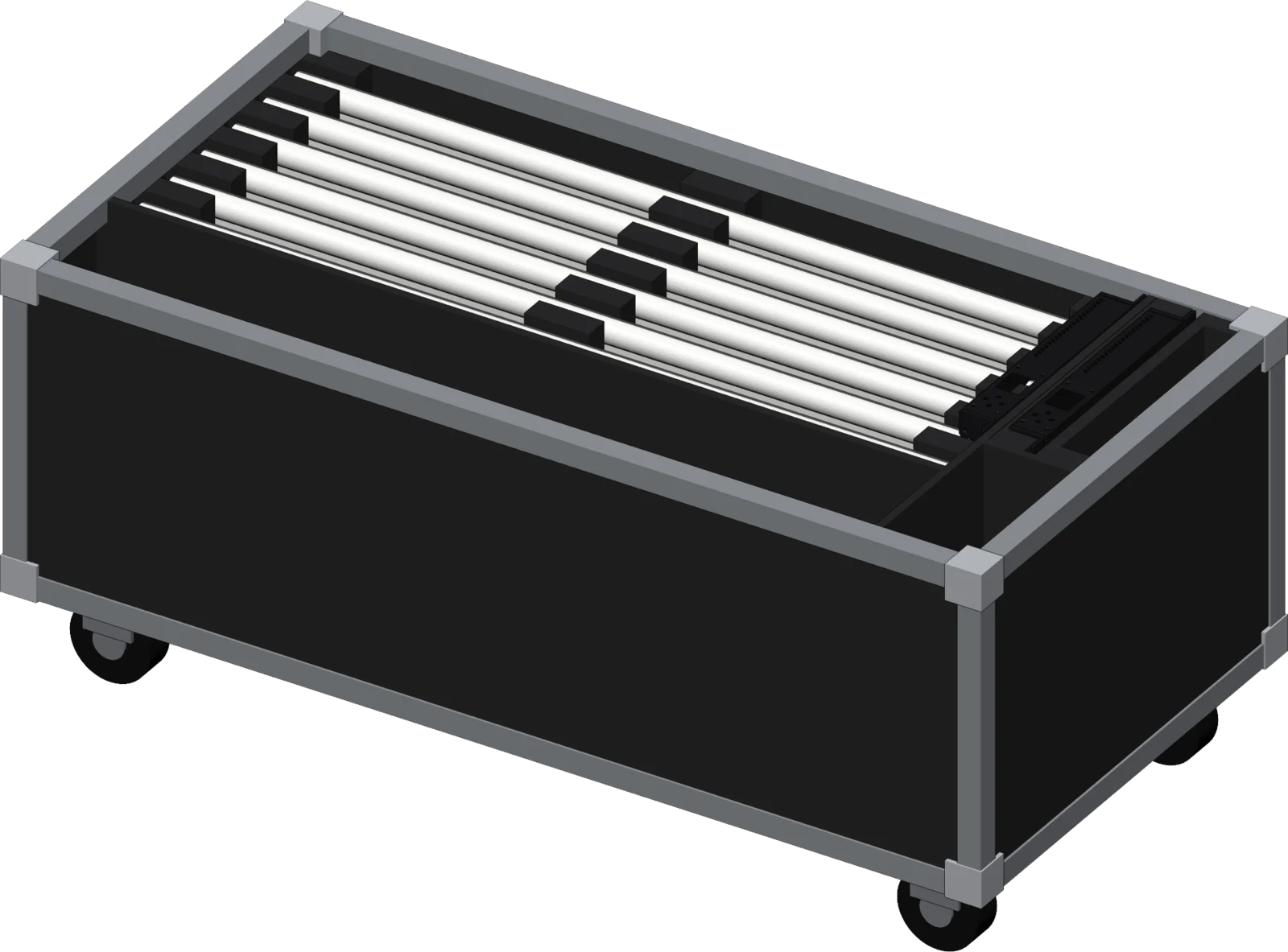
Two nodes and 24 pxbars of 64 pixels in a single flight case, with their mounts and cables. The default patch matches the wiring: with 6 bars per output, there is nothing to set.
- 24pxbar 64
- 2pxnode 4
- 2powerCON cables
- 48mic stand mounts
- 60bar connectors
- 56pxconn cables
- 1flight case, 1200 × 600 × 400 mm
6 bars maximum per output, 24 in total per node.
One interface for every node
Every node serves its own web interface: open its address in a browser, there is nothing to install. From any node, you see the whole installation and set each node.
All the nodes on the network in one list: their mode, their input, their temperature, and what needs attention.
Click to zoom. Screenshots of the interface on a demo network.
HTTP API
All playback and configuration features are exposed through an HTTP API, in JSON: for your scripts, your show control or Bitfocus Companion.
Specifications
- Pixel outputs
- 4, 4-pin XLR, data and power
- Pixels
- 1536 driven and powered (24 pxbars of 64), up to 512 RGB or 384 RGBW per output
- Output power
- 350 W
- Power input
- powerCON, 220 V, 2 A
- Network
- etherCON. Art-Net 4: ArtDmx, ArtSync, ArtPoll. sACN (ANSI E1.31): data, sync, multicast
- DMX512
- in and out, 5-pin XLR
- Modes
- Standalone, DMX Shape, NET Shape, NET Pixels, NET Pixels + Ctrl
- Desk profiles
- 5ch (RGBW), 14ch (Shape RGBW)
- Effects, presets
- 18 built-in effects, up to 12 presets
- Frame rate
- 20 to 120 fps
- Control
- DMX512, Art-Net, sACN, web interface, HTTP JSON API
- Front panel
- 1.8" colour screen, 4 keys, key lock
- Enclosure
- black powder-coated aluminium, 1U
- Dimensions
- 275 × 205 × 44 mm, 326 mm wide with the rails
Firmware, fixtures and documentation
Every firmware release, desk fixtures for QLC+, grandMA2 and grandMA3, guides and the API reference.